Ad & tracker blocking. For iPhone and iPad.

A little green.
A lot less noise.

Your apps have a lot to say behind your back.
Nox knows when to say no.

Less following. More living.Scroll slowly. Breathe easy.

A quieter everyday

The app you opened.
Without the extra company.

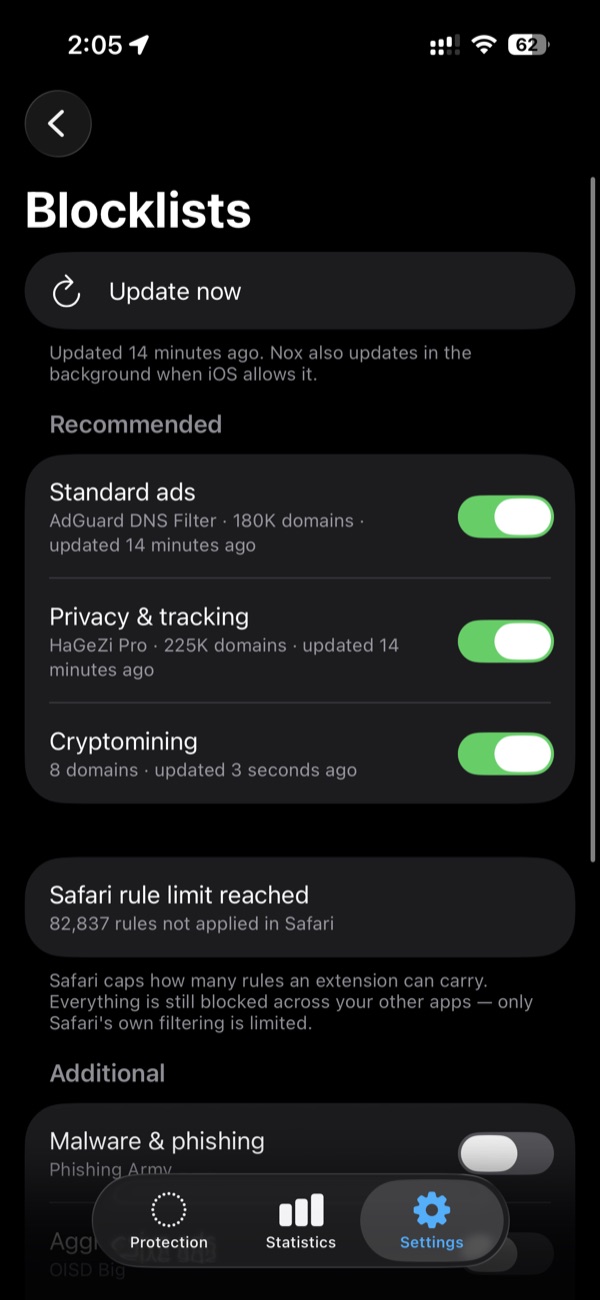
Games. News. Shopping. The web. Nox blocks requests to known ad and tracker domains across your apps—not just your browser.

In Safari, its extensions also tidy up the spaces ads leave behind.

Close to home

Your phone.
Your business.

The blocklists and filtering decisions stay on your device. No Nox account. No analytics. No browsing history sent to us.

Allowed lookups go to your selected DNS provider over an encrypted connection. Nox runs no server in between.

Quiet, on your terms

One switch.
Room to go deeper.

Start with sensible defaults. Pause protection whenever you need to. Allow a domain if something you use stops working.

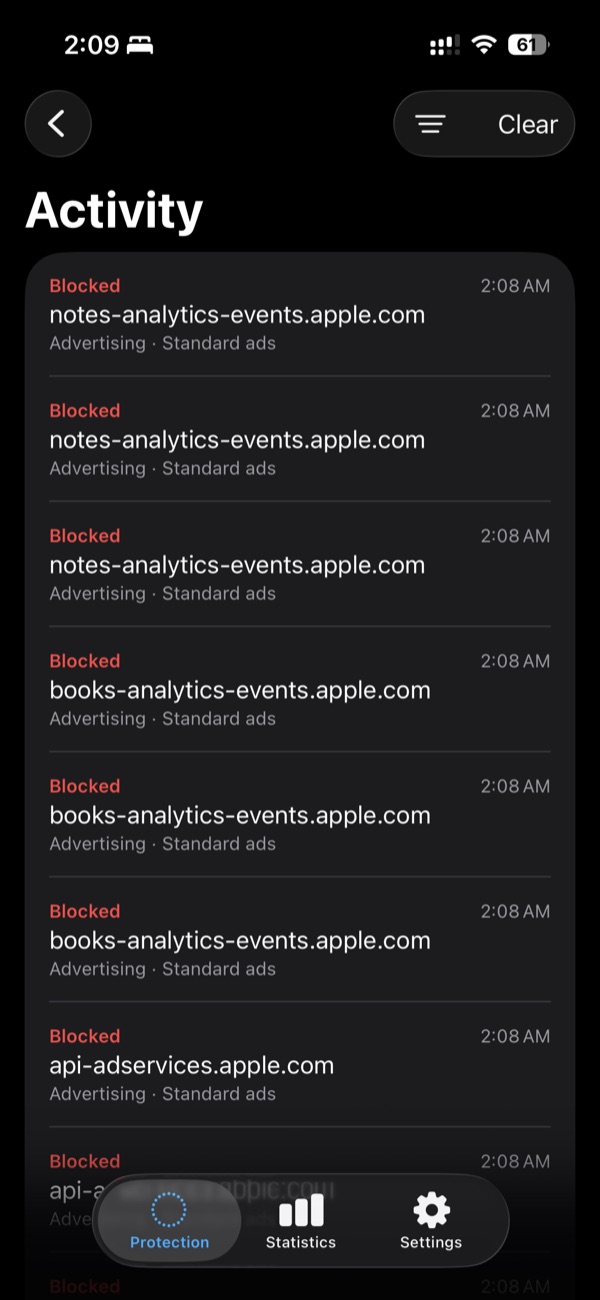
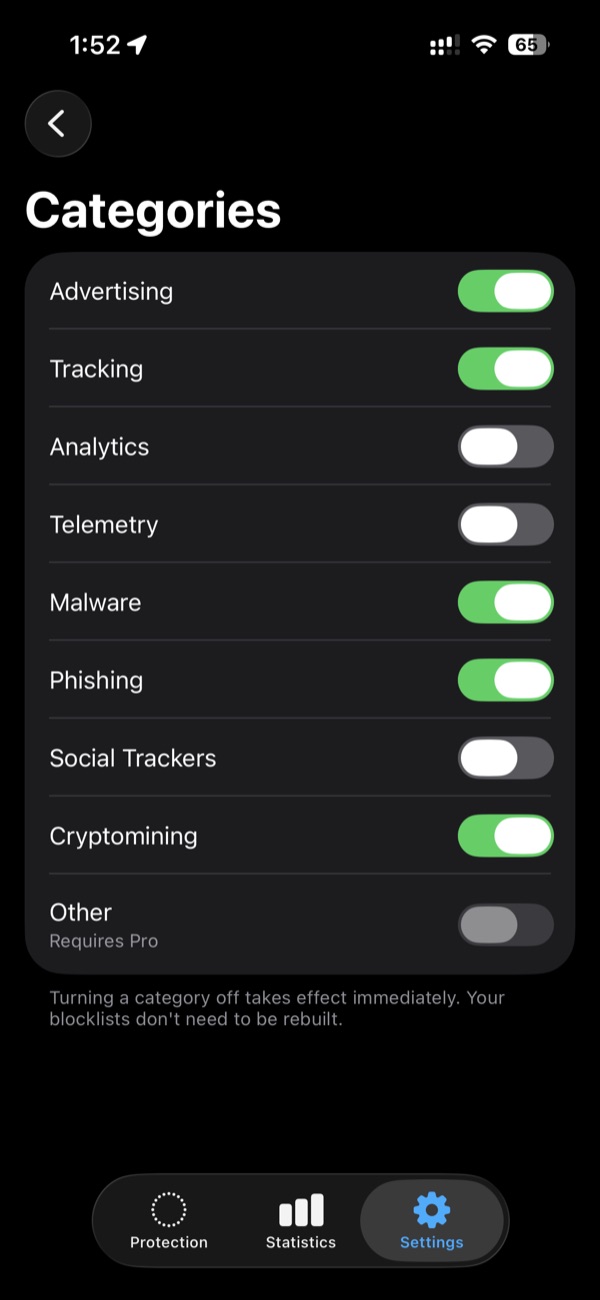
Want more say? Pro adds categories, protection profiles and a searchable activity log.
Privacy should be something you have.
Not something you have to keep thinking about.

Set it up. Get on with your day.

Less to figure out.
More to leave alone.

The real app. A few useful screens.
No dashboard to babysit.

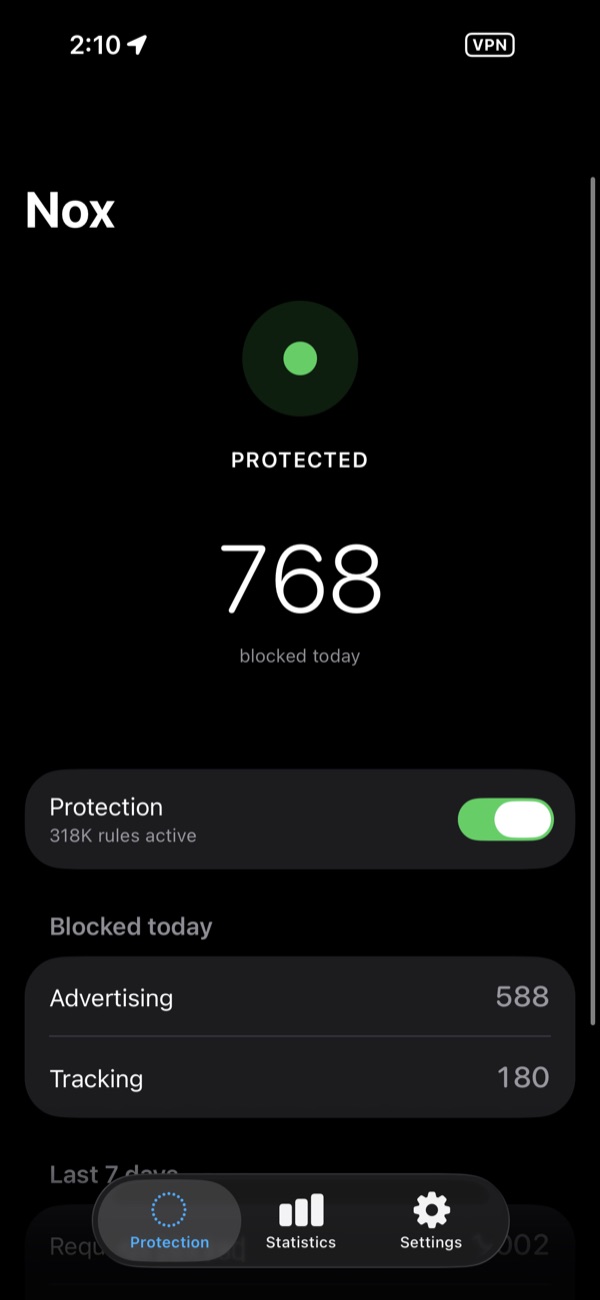
Nox protection screen showing 768 requests blocked today, with protection enabled

One switch tells you where you stand. 768 requests blocked on the device shown.

The essentials, free.
The detail, if you want it.

Ad and tracker blocking comes with Basic.
Paid plans add visibility and control.

Basic Free

Ad and tracker blocking across apps, Safari protection and basic statistics.

Pro

Detailed statistics, searchable activity, categories, protection profiles, known malware and phishing domain blocking, and custom DNS.

Pro+

Your own blocklists and rules, plus advanced diagnostics to understand why a domain was blocked.

Paid plan prices are shown in the app. Subscriptions renew automatically unless cancelled in your Apple account.

A few things,
plainly said.

Will it block every ad?

No. Nox filters by domain. If an app delivers ads and content from the same domain, blocking one can break the other. Ads built into a video stream are outside Nox’s reach, too.

Why does my iPhone say VPN?

iOS uses a VPN configuration to let Nox filter DNS across apps. Nox isn’t a remote VPN service: it doesn’t change your location or send your traffic through a Nox server. Allowed DNS lookups go to your selected resolver.

What leaves my device?

Allowed DNS lookups go to your chosen DNS provider. Blocklist updates are fetched from their publishers. Nox does not collect your browsing history or operate an analytics service. Read the full privacy policy ↗

How do I get started?

Open Nox and follow onboarding, then allow the VPN configuration to enable protection across apps. For Safari, also enable the Nox blockers in Settings → Apps → Safari → Extensions.

What if a site stops working?

Pause protection to check whether filtering is the cause. You can allow the affected domain; Pro’s activity log gives you more detail about blocked requests.

Which devices does it support?

Nox is built for iPhone and iPad running iOS or iPadOS 18 or later. Another VPN app may conflict with its local filtering configuration.

Nox, by Supr.

A little less.
Feels like a lot.

Made for the part of your day
that isn’t about your phone.

Sign up for the beta

A quieter phone is coming.